How to make an STL for 3D printing with ChatGPT
C3D-GUIDE-03 · REV ATo get a printable STL from ChatGPT, connect Creations3D to ChatGPT, then ask for the object with its size in millimetres, for example "a 50 mm chibi dragon figurine, give me the STL". About 1.5 minutes later ChatGPT has a download link for an STL at that size with a flat base, automatically repaired, plus a print report that says whether the repair produced one closed solid. 3MF works the same way.
Can ChatGPT make an STL file on its own?
Only for simple geometric parts. ChatGPT can write code, such as OpenSCAD, for a box, a bracket or a spacer, which you then render to STL yourself. It cannot sculpt an organic shape like a figurine, a pot with a pattern or a character. Creations3D adds that: ChatGPT sends your description to Creations3D, which builds the model and hands back the file.
How do I connect Creations3D to ChatGPT?
Setup takes about 3 minutes, on the ChatGPT website. On a work plan your admin may need to allow custom servers.
- Go to chatgpt.com/plugins, click Add, then Add custom MCP server.
- Name it Creations3D. Under Connection keep Server URL and paste
https://creations3d.com/mcp. - Keep OAuth, tick I understand and want to continue and click Create as a plugin. Then click Connect Creations3D, sign in with your Creations3D email and click Allow access.
- Start a new chat, type @ and pick Creations3D.
The ChatGPT connection guide has the same steps with a screenshot of each screen. OpenAI's own steps are in Connect a custom MCP server to ChatGPT. You also need a Creations3D account with credits: new accounts start with a $1, 7-day trial with 40 credits.
What should I ask for?
Name one object, give its size in millimetres and say it is for printing. The size sets the largest side of the model, so "80 mm tall" gives an STL whose longest side is 80 mm. You do not need to scale it in your slicer.
- "A 50 mm chibi dragon figurine for my printer. Give me the STL."
- "A small succulent planter with a hexagon pattern, 90 mm wide, as a 3MF."
- "A 60 mm desk figure of a knight with a round base, STL please."
- "Make three chess pieces for printing: king 95 mm, queen 85 mm, rook 60 mm."
ChatGPT turns this into the tool's settings: use_for set to print, target_size with units in mm, and an optional style. You can ask for up to 20 models in one batch. From a chat, a description goes straight to a 3D model; there is no preview picture step. To print an object from a photo, give ChatGPT a public HTTPS link to the image.
What does the STL look like when it arrives?
- Millimetres, at the size you asked for, measured on the largest side.
- Automatically repaired. When the repair passes its checks (the print report says so), it is one closed, watertight solid: no holes, no loose floating parts and no inside-out faces.
- A flat base sitting on the build plate. Ask for "no flat base" if you want the original underside.
- Up to 300,000 triangles, which slicers open quickly.
- STL has no units in the file, so ours is written in millimetres: import it as millimetres. 3MF stores the units, so slicers such as Bambu Studio and PrusaSlicer read the size from the file.
- A print report with the checks that passed and how far the surface moved during repair. If a repair ever fails, the report says so and tells you to check the file in your slicer.
Repair can thicken very small details or close tiny gaps, so check fine parts such as thin swords or antennae in the slicer preview. Wall thickness, overhangs and supports are not checked: your slicer still decides those.
How well does the repair work?
We ran the repair on five real models, exported as STL at 120 mm, and checked each written file with an independent mesh checker:
| Model | Separate bodies before | After | Closed (watertight) | Triangles |
|---|---|---|---|---|
| Dragon figurine | 28 | 1 | yes | 212,716 |
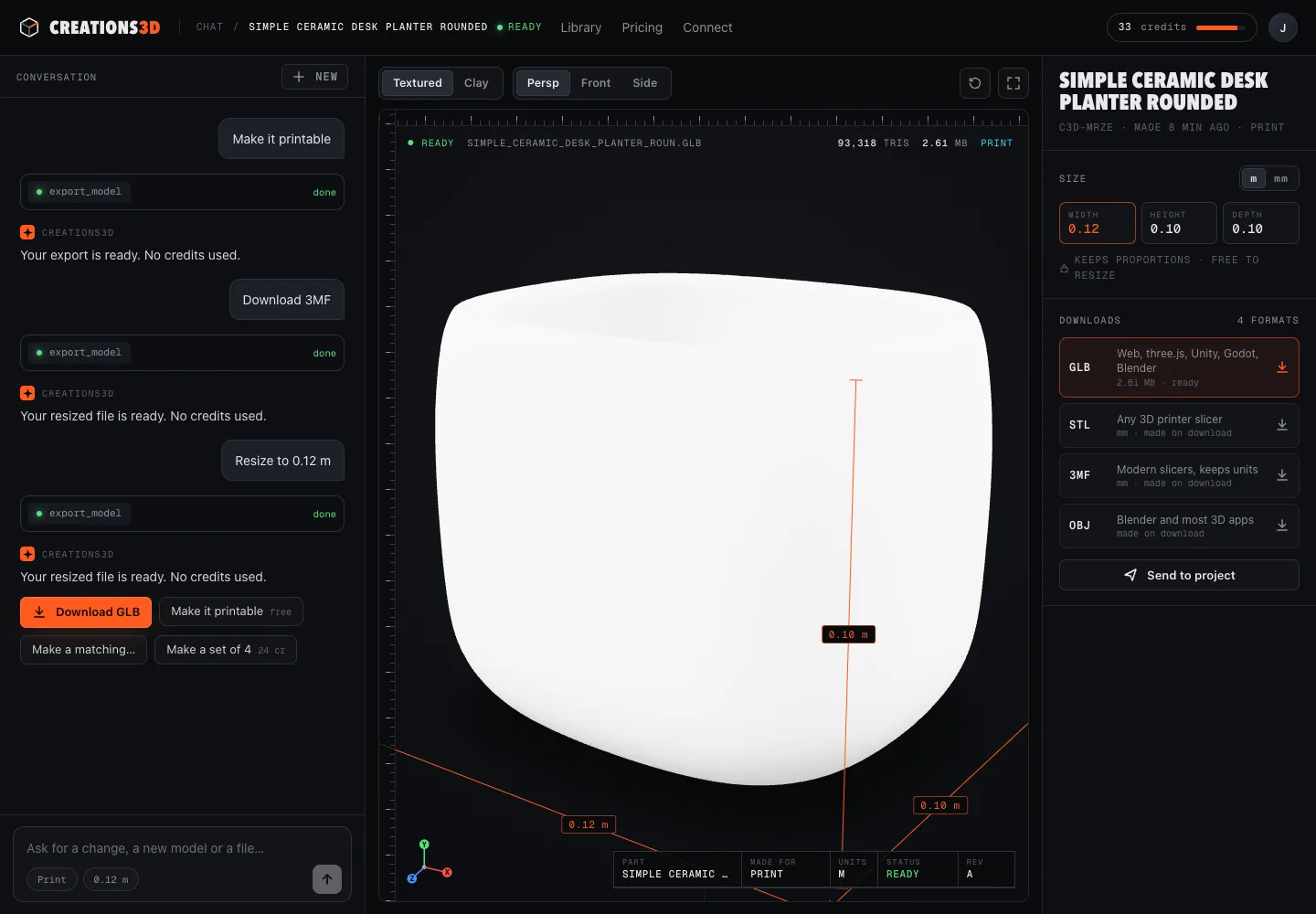
| Desk planter | 2 | 1 | yes | 247,096 |
| Low-poly chest | 1 | 1 | yes | 170,492 |
| Rotary telephone | 25 | 1 | yes | 103,700 |
| Oak tree | 161 | 1 | yes | 264,896 |
All five came out at exactly 120 mm on the largest side with a flat base. The surface moved by about 0.5 to 0.65% of the model's size on average, which is why fine details can thicken. This was our own test on 22 October 2026, not an outside certification. The report that came with the planter's STL:
"printReport": {
  "watertight": true,
  "bodies": 1,
  "boundaryEdges": 0,
  "nonManifoldEdges": 0,
  "grounded": true,
  "flatBaseCreated": true,
  "volume": 418239.18,
  "repairSucceeded": true,
  "note": "Verified one closed, consistently oriented solid with positive volume. Wall thickness and overhangs not analysed."
}
How many credits does it cost?
| What you ask for | Credits |
|---|---|
| A model from a description | 8 |
| A model from a photo | 6 |
| Another size, or the same model as STL, 3MF, OBJ or GLB | 0 |
The 40-credit trial covers about 5 printable models. If a build fails, its credits go back automatically. Re-exporting at a new size is free, so you can print a 40 mm test before the 120 mm version. See pricing for the monthly plans. Plans are started on the website, never from the chat.
How do I download the file?
ChatGPT gives you a signed download link. Links expire after 15 minutes, so if one has expired, ask ChatGPT for a fresh link. Every model is also saved in your Creations3D library on the website, where you can download it again in any format.
Can I do this from Claude or a coding agent instead?
Yes. The same account, library and credits work in Claude, Claude Code, Codex and Cursor. The guide to generating a 3D model in Claude covers the Claude side, and all guides lists the rest. Developers can call the tools directly: the MCP reference lists every field of export_model, and file formats and print reports lists every report field.